
Quick answer: Apple TV IPTV setup takes about five minutes. Install a player app such as IPTV Smarters Player, iPlayTV or Flex IPTV from the tvOS App Store, enter the Xtream Codes login or M3U link from your provider, and your channels, EPG and on-demand library load on the Apple TV. On iPhone and iPad the same apps are in the iOS App Store, and AirPlay lets you send any stream from the phone to an Apple TV or AirPlay-compatible television.
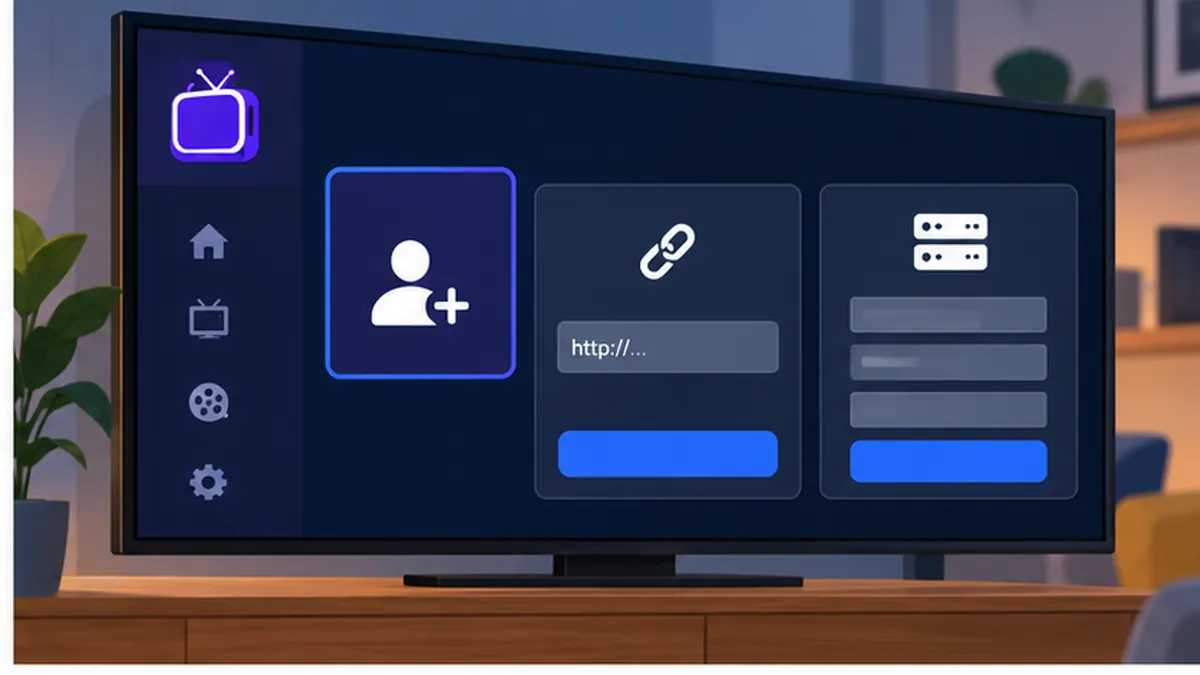
Table of Contents
How Apple TV IPTV works
Apple TV IPTV means watching IPTV channels through an app on an Apple TV box (tvOS), an iPhone or an iPad (iOS and iPadOS). Apple does not allow sideloading, so every app comes from the App Store, which keeps the platform tidy and secure. The apps are players: they take the playlist supplied by your IPTV provider, build a channel list and programme guide, and stream each channel when you select it.
Apple TV 4K is one of the smoothest devices for IPTV in the UK. It has a fast processor, excellent HDR handling, frame-rate matching for 50 Hz UK broadcasts and a reliable Ethernet port on the Wi-Fi + Ethernet model. The downside is a smaller choice of player apps than Android TV or Fire TV, and the better Apple TV IPTV apps are paid rather than free.
If you are new to IPTV, our IPTV UK guide explains how subscriptions, playlists and connections work. Everything below assumes you already have Xtream Codes details or an M3U link, which you can get in minutes with a free IPTV trial.
Best Apple TV IPTV apps in 2026
These are the Apple TV IPTV apps we see UK customers use most. All of them also run on iPhone and iPad unless noted. Prices change, so check the App Store for the current cost.
| App | Apple TV | iPhone / iPad | Price | Login | Notes |
|---|---|---|---|---|---|
| IPTV Smarters Player / Smarters Player Lite | Yes | Yes | Free | Xtream or M3U | Same interface as Smarters on Android and Fire TV |
| iPlayTV | Yes | Yes | One-off purchase | Xtream or M3U | Fast, polished, excellent EPG |
| Flex IPTV | Yes | Yes | Free with in-app upgrade | Xtream or M3U | Clean, quick setup |
| GSE Smart IPTV | Yes | Yes | Free with ads, paid upgrade | Xtream or M3U | Mature app, many options |
| IPTVX | Yes | Yes | One-off purchase | Xtream or M3U | Beautiful artwork-led design |
| UHF | Yes | Yes | Subscription | Xtream or M3U | Modern UI, catch-up, multi-view |
For a first Apple TV IPTV setup we recommend the free Apple TV IPTV player IPTV Smarters Player because it is free and uses the same login screens as our IPTV Smarters guide. If you watch a lot of sport and want the best guide view, iPlayTV or UHF are worth their modest price.
Apple TV IPTV setup: step by step
- On the Apple TV home screen, open the App Store.
- Search for IPTV Smarters Player, iPlayTV or Flex IPTV and select Get (or the price). Authenticate with your Apple ID if prompted.
- Open the app and choose Add New User or Add Playlist.
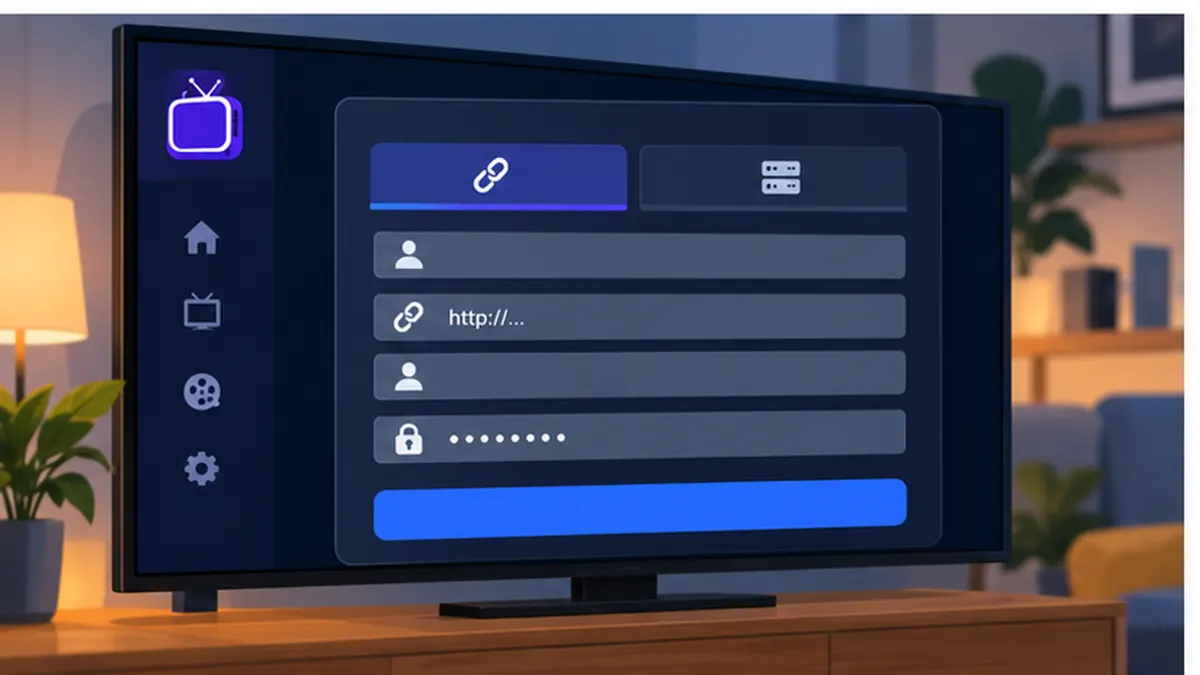
- Select Xtream Codes API (recommended) and enter the server URL, username and password from your provider. Use the iPhone keyboard trick below to avoid typing with the Siri Remote.
- Give the profile a name and confirm. The app downloads the channel list and EPG; allow up to a minute for large playlists.
- Open Live TV, pick a category and start watching. Add your regular channels to favourites.
- In the app settings, set the time zone to London and enable the EPG if it is not on by default.
Type faster: use your iPhone as the Apple TV keyboard
When a text field opens on the Apple TV, an iPhone signed in to the same Apple ID shows a notification offering to type. Tap it and the phone keyboard appears, so you can paste the server URL and password directly from your welcome email. This alone turns a frustrating Apple TV IPTV setup into a two-minute job. You can also use the Apple TV Remote in Control Centre on the iPhone.
iPhone and iPad IPTV setup
The iPhone and iPad versions of the same apps are installed from the iOS App Store and use an identical login process. On an iPad, the larger screen makes the EPG grid especially usable, and Split View lets you keep a match on one side of the screen while you browse on the other.
- Open the App Store on the iPhone or iPad and install IPTV Smarters Player, Flex IPTV or GSE Smart IPTV.
- Open the app, choose Xtream Codes API and paste the server URL, username and password.
- Allow the channel list to load, then add favourites.
- Enable Background Audio in the app settings if you want radio or news audio to keep playing when you switch apps.
- Use Picture in Picture (supported by most apps on iOS 14 and later) to keep a small player on screen while you use other apps.
On mobile data, HD streams use roughly 1.5 to 2 GB per hour, so switch to Wi-Fi where possible. Apple’s Low Data Mode can also limit stream quality; turn it off for the Wi-Fi network you use at home.
AirPlay: sending IPTV from iPhone to Apple TV
AirPlay is the quickest way to get Apple TV IPTV on a television without installing anything on the box. Start a channel in the Apple TV IPTV app on your iPhone, open Control Centre, tap Screen Mirroring or the AirPlay icon inside the player, and choose your Apple TV. Many apps support native AirPlay, which sends only the video rather than mirroring the whole screen, giving full resolution and letting you use the phone for other things.
AirPlay also works with AirPlay 2-compatible televisions from Samsung, LG, Sony and others, so an iPhone plus a modern smart TV is a valid Apple TV IPTV setup even without an Apple TV box. Mirroring on the same Wi-Fi network adds a little latency and depends on a strong connection between the phone and the TV, so for day-to-day viewing a native app on the Apple TV is still the better experience.
Recommended tvOS and app settings
- Match content: on the Apple TV go to Settings > Video and Audio > Match Content and enable both Match Dynamic Range and Match Frame Rate. UK channels are 50 Hz and this removes judder on sport. Apple documents the setting at support.apple.com.
- Format: set to 4K SDR or 4K HDR depending on your TV, rather than forcing Dolby Vision for all content.
- Time zone: Settings > General > Time Zone > London, so the EPG matches UK schedules.
- Player buffer: in the app, set a medium buffer on Ethernet and a larger buffer on Wi-Fi.
- EPG refresh: every 12 hours, keeping 7 days of guide data.
- Reduce motion: under Accessibility, if interface animations make channel browsing feel slow on an older Apple TV HD.
EPG, catch-up and recording on Apple TV
With an Xtream Codes login the EPG loads automatically. If it is empty, use the refresh option in the app settings, check the time zone and, if you used an M3U link, add your provider’s XMLTV URL. Our IPTV EPG guide covers every common guide problem.
Catch-up in an Apple TV IPTV app appears as a replay icon on supported channels in IPTV Smarters Player, iPlayTV and UHF, and lets you watch the last few days of programmes. Recording is the one area where Apple TV IPTV lags behind Android TV: tvOS does not allow apps to write to external storage, so local recording is not available. If recording matters, pair the Apple TV with an Android box or see our Android TV IPTV setup guide.
Using one subscription on Apple TV, iPhone and other devices
Your Xtream Codes details work in any compatible app on any device, so a typical household runs the same subscription on the Apple TV in the lounge, an iPhone on the commute and perhaps a Fire TV Stick in the bedroom. The number of streams playing at the same time is set by your plan, not by the number of installs. Our multi-device IPTV guide explains how connections are counted, and the IPTV plans page shows the options.
Fixing common Apple TV IPTV problems
Login failed or could not connect
Check that the server URL includes http:// and the port number if one was supplied, that the username and password are in the correct case with no trailing spaces, and that your subscription is active. If other devices in the house are already streaming, you may have reached your plan’s connection limit.
Buffering or freezing
For Apple TV IPTV buffering, use the Ethernet port on an Apple TV 4K (Wi-Fi + Ethernet model) or 5 GHz Wi-Fi close to the router. Increase the buffer in the app. Restart the Apple TV from Settings > System > Restart. If you are using a VPN on the router, try a UK server or disable it; our IPTV VPN guide explains why a distant server causes buffering.
Black screen or no audio
Some streams use codecs that tvOS handles only with specific player settings. Switch the app’s player engine (for example from native to VLC-based in GSE or Flex), or choose the stereo audio track if a Dolby track plays silently through an older sound bar.
EPG times are wrong
Set the Apple TV time zone to London and set any EPG offset in the app to 0. This problem usually appears after the clocks change in March or October.
App crashes on launch
Force-quit the app (double-press the TV button on the Siri Remote and swipe up on the app), then reopen. If it keeps crashing, delete and reinstall; your login details are easy to re-enter with the iPhone keyboard.
AirPlay stutters
Both devices must be on the same Wi-Fi network, ideally 5 GHz. Use the app’s native AirPlay button rather than screen mirroring, and move the iPhone closer to the router.
Which Apple TV model is best for IPTV?
Any Apple TV sold since 2017 runs the current tvOS apps, but the experience varies. The Apple TV HD (2015 to 2021) handles HD streams comfortably but can struggle with high-bitrate 4K channels and has slower menus. The Apple TV 4K (2021 and 2022) adds a much faster chip, HDR and Dolby Vision, and the 2022 Wi-Fi + Ethernet model includes a gigabit port, which is the single most useful feature for Apple TV IPTV because it removes Wi-Fi from the equation.
| Model | Year | Ethernet | 4K HDR | Verdict for IPTV |
|---|---|---|---|---|
| Apple TV HD | 2015 / 2021 | Yes | No | Fine for HD, avoid for 4K |
| Apple TV 4K (1st gen) | 2017 | Yes | Yes | Good, slower menus |
| Apple TV 4K (2nd gen) | 2021 | Yes | Yes | Very good |
| Apple TV 4K (3rd gen) Wi-Fi | 2022 | No | Yes | Excellent on strong Wi-Fi |
| Apple TV 4K (3rd gen) Wi-Fi + Ethernet | 2022 | Yes | Yes | Best choice |
If you are buying today, the Wi-Fi + Ethernet model is worth the small premium. Second-hand 2021 units are also a sensible buy and cost far less than new.
Apple ID regions, Family Sharing and app purchases
The App Store shows apps based on the country of your Apple ID. A UK Apple ID sees all the Apple TV IPTV players listed above. If your Apple ID is registered elsewhere, an app may be missing; you can change the region in Settings, but doing so can affect subscriptions and store credit, so most people create a separate UK Apple ID for the Apple TV instead.
Paid apps such as iPlayTV and IPTVX are one-off purchases tied to your Apple ID, and with Family Sharing enabled, family members can install them on their own iPhones and iPads at no extra cost. Universal purchase means buying once covers the Apple TV, iPhone and iPad versions where the developer supports it.
Audio: sound bars, HomePod and Dolby tracks
IPTV streams often carry more than one audio track. If a channel plays silently or with the wrong language, open the audio menu in the player during playback and pick the English stereo track. For a HomePod pair or a Dolby Atmos sound bar, set Settings > Video and Audio > Audio Format to auto so the Apple TV passes the right format. If lip-sync drifts, the Wireless Audio Sync tool under the same menu calibrates the delay using an iPhone.
Siri, Top Shelf and quick access
Move your IPTV app to the top row of the Apple TV home screen so its Top Shelf shows recent channels or favourites, and you can be watching with a single click of the Siri Remote. The TV button on the remote can be set to open the Home screen rather than the Apple TV app under Settings > Remotes and Devices, which saves a step every time. Siri will open the app by name (“Open iPlayTV”) but cannot change IPTV channels, so favourites remain the fastest route to a match.
iPad specifics: Split View, Stage Manager and external displays
An iPad is an underrated IPTV device. In Split View you can keep a channel playing beside a browser or a messaging app. On iPads that support Stage Manager, the IPTV app can sit in its own resizable window, and on an M-series iPad connected to an external display via USB-C the app can run on the big screen while you use the iPad for something else. Picture in Picture keeps a small floating player on top of any other app. For long journeys, download on-demand titles where the app supports offline viewing rather than streaming over mobile data.
Mobile data and battery on iPhone
HD streams use roughly 1.5 to 2 GB per hour; 4K can use 7 GB or more. If you have a limited data plan, choose an SD or HD stream in the app rather than 4K when away from Wi-Fi, and turn off auto-play. Streaming for an hour uses around 10 to 15 per cent of a recent iPhone battery, more with the screen at full brightness. Low Power Mode throttles performance slightly but rarely affects playback. Our internet speed for IPTV guide has the full bitrate figures.
Five Apple TV IPTV mistakes to avoid
- Typing with the Siri Remote. Use the iPhone keyboard prompt or the Remote app and paste the details.
- Leaving Match Frame Rate off. UK channels judder at 60 Hz output; switch it on once and forget it.
- Using screen mirroring instead of native AirPlay. Mirroring halves the resolution and adds lag.
- Forcing Dolby Vision for everything. Set the output to 4K SDR and let Match Dynamic Range switch when needed.
- Ignoring the connection limit. Count every device streaming at once, including the iPhone on the train, against your plan.
Apple TV IPTV on match day
Big fixtures put UK networks and servers under the most strain. A few habits keep an Apple TV IPTV stream steady when it matters.
- Open the Apple TV IPTV app ten minutes before kick-off and let the guide finish refreshing.
- Keep two or three feeds of the same channel in favourites so you can switch instantly.
- Pause iCloud backups, game downloads and other household streams during the match.
- If you run a VPN on the router, choose a nearby UK server or bypass the Apple TV; distant servers add buffering.
- Use multi-view in UHF or picture-in-picture on iPad to follow two matches, remembering each stream counts against your plan’s connection limit.
Apple TV IPTV checklist before you contact support
If an Apple TV IPTV problem survives the fixes above, gather these details before contacting your provider: the app name and version, the exact error message, whether the problem affects one channel or all of them, whether you are on Ethernet or Wi-Fi, and the result of a speed test on the Apple TV network. With that information most Apple TV IPTV issues are resolved in a single reply.
Apple TV IPTV is one of the most reliable ways to watch IPTV in the UK once it is set up correctly. The combination of the App Store, frame-rate matching, AirPlay from an iPhone and the fast hardware in the Apple TV 4K means fewer moving parts than almost any other platform.
Apple TV IPTV vs Fire TV Stick vs Android TV
| Factor | Apple TV 4K | Fire TV Stick 4K | Google TV Streamer |
|---|---|---|---|
| Approx. price | From around £149 | Around £60 | Around £99 |
| App choice | Smaller, mostly paid | Wide, sideloading | Widest, Play Store |
| Performance | Best, very smooth | Good | Excellent |
| Frame rate matching | Yes | Yes | Yes |
| Recording | No | With TiviMate Premium | With TiviMate Premium |
| Ethernet | On Wi-Fi + Ethernet model | Adapter needed | Built in |
| Best for | Apple households, quality first | Budget, any TV | Flexibility and recording |
Our honest view: if you already own an Apple TV, use it; the Apple TV IPTV experience is excellent and the lack of recording rarely matters when catch-up is available. If you are buying new hardware purely for IPTV and want the widest app choice, a Google TV Streamer costs less. If you have a Samsung or LG set and no box, see our Smart TV IPTV guide.
Is Apple TV IPTV legal in the UK?
The Apple TV, the iPhone and every app in the App Store are legal; Apple reviews each app before listing it. What determines legality is the content you stream. Watching channels your provider is entitled to distribute is lawful; watching infringing streams is not, and UK enforcement bodies have pursued both sellers and users of infringing services.
This guide is not legal advice and we do not offer legal guarantees about any service. The Copyright, Designs and Patents Act 1988 is published on legislation.gov.uk, Ofcom regulates UK communications, and our guide Is IPTV legal in the UK? explains the position. SmartVPro UK is a brand of THE SHORT BOX ENTERTAINMENT LLC; our terms and correspondence address are published on this site.
Apple TV IPTV outside the UK
The App Store, tvOS and the apps are global, so the setup is identical abroad; only the provider and channel line-up change. Canadian viewers can use iptvv-ca.ca, viewers in the Netherlands dutchiptvnl.net, and international customers smartvpro.com. If your Apple ID is registered in a different country, some apps may not appear in the store; switching the store region or using a UK Apple ID resolves it.
Official resources
- Apple TV User Guide — official tvOS documentation, including Match Content and AirPlay.
- Apple AirPlay support — compatible devices and troubleshooting.
- WHMCS Smarters — developer of IPTV Smarters Player.
- Ofcom — the UK communications regulator.
- Copyright, Designs and Patents Act 1988 — primary UK copyright legislation.
Apple TV IPTV: frequently asked questions
What is the best IPTV app for Apple TV?
IPTV Smarters Player is the best free Apple TV IPTV app and uses the same login as Smarters on other devices. iPlayTV and UHF are the strongest paid options, with better guide views and catch-up support.
Can I sideload IPTV apps on Apple TV?
No. tvOS only allows apps from the App Store. Fortunately all the main Apple TV IPTV players are available there, so sideloading is not needed.
Does Apple TV IPTV support 4K and HDR?
Yes. Apple TV 4K handles 4K HDR streams well. Enable Match Dynamic Range and Match Frame Rate in Settings so UK 50 Hz channels play smoothly.
Can I record live TV on Apple TV?
Not with IPTV apps, because tvOS does not allow recording to external storage. Use catch-up where your provider offers it, or an Android TV device if recording is essential.
How do I type my login without the Siri Remote?
When a text field opens on the Apple TV, your iPhone shows a notification to type. Tap it and paste the details from your welcome email.
Can I AirPlay IPTV from my iPhone to my TV?
Yes. Start the channel in the iPhone app and use the AirPlay button to send it to an Apple TV or an AirPlay 2 television. Native AirPlay gives better quality than screen mirroring.
Why does my Apple TV IPTV app buffer on Wi-Fi?
Usually a weak or congested Wi-Fi link. Use the Ethernet port, move to 5 GHz, increase the app buffer and restart the router.
Is Apple TV IPTV legal in the UK?
The device and apps are legal. Whether a service is lawful depends on whether it has the rights to its content. We cannot give legal guarantees; our legal guide explains the UK position.
Start your Apple TV IPTV setup
Install IPTV Smarters Player or iPlayTV on your Apple TV, request a free IPTV trial for instant Xtream Codes details, and follow the steps above with your iPhone as the keyboard. When you are happy with the channels and the guide, choose the IPTV plan that matches the number of screens in your home. If anything in your Apple TV IPTV setup does not work as described, our support team can help.
Get the next IPTV guide by email
New setup guides, app comparisons and buffering fixes for UK viewers – about two emails a month, no spam, unsubscribe in one click.