
Quick answer: An IPTV EPG (electronic programme guide) is the on-screen TV guide that shows what is on each channel now and next. If your IPTV EPG is missing, empty or showing the wrong times, the fix is almost always one of four things: refresh the guide inside the app, add your provider’s XMLTV EPG link (needed with M3U playlists), set the device time zone to Europe/London, or set the EPG time shift to zero. Xtream Codes logins load the guide automatically on most apps.

Table of Contents
What is an IPTV EPG and how does it work?
EPG stands for electronic programme guide. On Freeview, Sky or Virgin, the guide is broadcast alongside the channels. With IPTV, the guide is a separate data feed that your player app downloads from your provider and matches to each channel. When the match works, you see programme names, start and end times, descriptions and sometimes artwork. When it does not, you see a blank “No information” row.
The IPTV EPG data normally arrives in one of two ways. With an Xtream Codes API login, the server supplies the guide as part of the account and the app fetches it automatically. With an M3U playlist, the guide is a separate file in XMLTV format, and you must paste its link (usually ending in .xml or .xml.gz) into the app’s EPG settings. This single difference explains most “my EPG is empty” complaints we receive from UK customers.
Inside the XMLTV file, every programme is attached to a channel ID. The player matches those IDs to the channels in your playlist using the tvg-id tag. If a channel in the playlist has no tvg-id, or the ID does not match the guide file, that channel shows no IPTV EPG data even though the rest of the guide works. For a general introduction to how the service works, see our IPTV UK guide.
Why your IPTV EPG is missing: the five common causes
| Symptom | Likely cause | Fix |
|---|---|---|
| Guide is completely empty | M3U login without an XMLTV link, or guide not yet downloaded | Add the EPG URL in settings, then refresh |
| Programmes are 1 hour out | Device time zone wrong or EPG time shift set | Set time zone to Europe/London, shift to 0 |
| Only some channels have a guide | Missing or mismatched tvg-id on those channels | Use the app’s channel-to-EPG mapping, or ask the provider |
| Guide stops after 1 or 2 days | Guide file only contains 24 to 48 hours | Ask provider for a 7-day source; refresh daily |
| Guide shows wrong programmes | Channel mapped to the wrong EPG ID | Re-map the channel manually in the app |
Each of these has a specific fix, and the sections below walk through them app by app. The good news is that the IPTV EPG is almost never “broken” at the provider; it is usually a setting on your device.
Fix 1: refresh or reload the guide
The first thing to try is simply forcing the app to download the guide again. Apps cache the IPTV EPG for 12 to 24 hours, and if the first download happened while the server was updating, the cached copy may be empty.
- IPTV Smarters Pro: Settings > EPG > Refresh EPG. Wait for the progress bar to finish.
- TiviMate: Settings > EPG > Update EPG now. Also check “Update interval” is set to 12 hours.
- Smart IPTV (SIPTV): press the blue button on the remote, or reload the playlist from the app menu.
- OTT Navigator: Settings > EPG > Update.
- GSE Smart IPTV / Flex / iPlayTV: open the EPG section of settings and choose Reload or Update.
If the guide is still empty after a refresh, move on to the login method and XMLTV link.
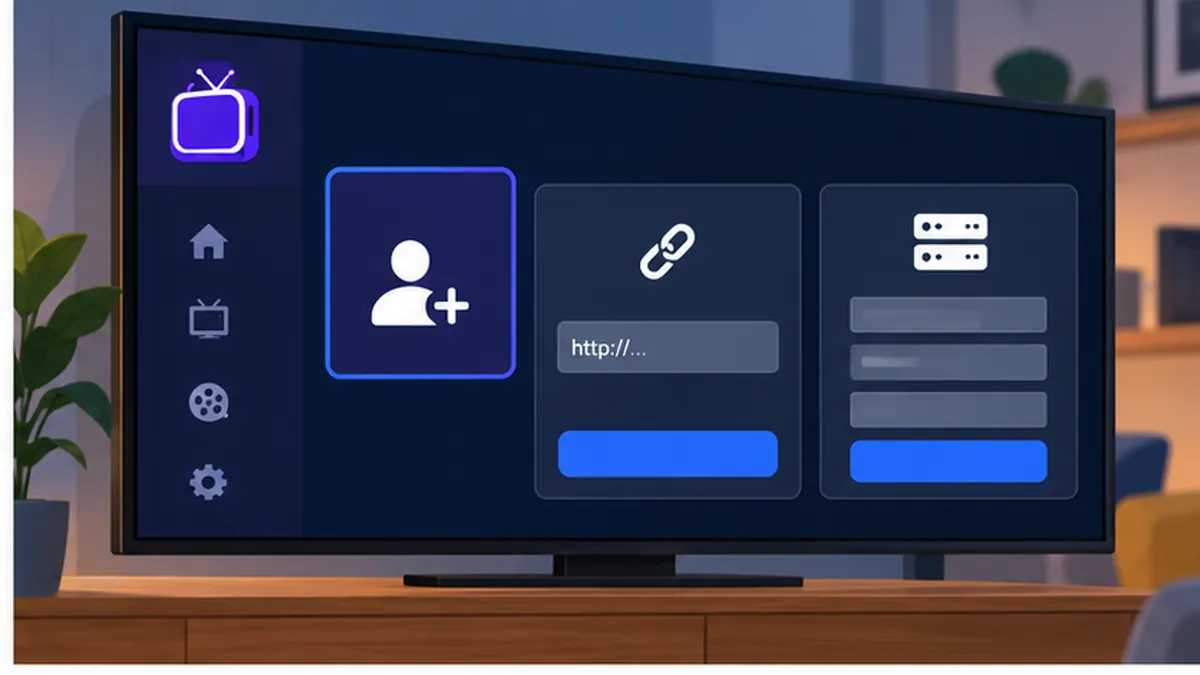
Fix 2: add the XMLTV EPG link (M3U users)
If you logged in with an M3U URL, your app has the channels but not the guide. Your provider supplies an XMLTV link; SmartVPro UK includes it in the welcome email alongside the M3U and Xtream details. Paste it as follows.
- Copy the EPG URL from your welcome email. It usually looks like a web address ending in .xml, .xml.gz or containing the word “xmltv”.
- Open the app settings and find the EPG or XMLTV section.
- Paste the link into the EPG source field and save. Some apps allow several sources; one is enough.
- Choose Refresh or Update. A full seven-day guide can take a minute to download.
- Go back to Live TV and check a few channels. The IPTV EPG should now populate.
If you are able to switch to Xtream Codes, do it. Most apps fetch the guide automatically with Xtream and you avoid managing a separate link altogether. Our IPTV Smarters guide shows the Xtream login step by step.
Fix 3: correct the time zone and EPG time shift
A guide that is exactly one hour (or several hours) out is a clock problem, not a guide problem. The XMLTV file lists programme times in UTC with an offset, and the app converts them using the device time zone. If the device is set to the wrong zone, or if the app has an EPG time shift left over from an earlier fix, every programme is displaced.
- On the device, set the time zone to Europe/London and enable automatic date and time. On Fire TV this is under Settings > Preferences > Time Zone; on Android TV under Settings > Device Preferences > Date & time; on Apple TV under Settings > General > Time Zone.
- In the app, find EPG time shift or EPG offset and set it to 0.
- Refresh the guide once more and check a live programme against the clock.
After the UK clock changes in late March and late October, a device with a manually set time zone can be an hour out until it is corrected. Automatic time zone avoids this entirely.
Fix 4: map channels to the right EPG IDs
When most channels show a guide but a few do not, the missing ones usually have no tvg-id or an ID the guide file does not recognise. Several apps let you map a channel to a guide entry by hand.
- TiviMate: long-press the channel > Edit > EPG source, then search for the channel name in the guide list and select it.
- OTT Navigator: channel options > Set EPG > choose the matching entry.
- IPTV Smarters Pro: limited manual mapping; report the channel to your provider so the tvg-id is corrected at source.
- Smart IPTV: mapping is done in the playlist; ask your provider to add the correct tvg-id.
If many channels are unmapped, it is quicker to ask the provider to fix the playlist than to map each channel. SmartVPro UK maintains tvg-ids for the main UK channels so that the IPTV EPG matches without manual work.
Fix 5: use a 7-day guide and set automatic updates
Some guide sources only contain the current day. If your IPTV EPG shows “No information” for tomorrow, the source is too short. Ask the provider for a seven-day XMLTV link, then set the app to update automatically every 12 hours so the guide never runs out. In TiviMate this is Settings > EPG > Update interval; in IPTV Smarters the guide refreshes each time the app starts.
IPTV EPG settings app by app
IPTV Smarters Pro
With Xtream Codes the guide loads automatically. The mini guide appears under the player; the full grid is on the EPG tile on the home screen. If it is empty, use Settings > EPG > Refresh EPG. With M3U, add the XMLTV link under the same menu. Time shift is under Settings > General.
TiviMate
TiviMate has the best IPTV EPG grid on any platform. Settings > EPG controls the sources, the update interval, the number of days to keep and the time shift. You can add more than one XMLTV source, and TiviMate merges them. Enable “Show programme artwork” if your guide includes images.
Smart IPTV, SS IPTV, IBO Player on Samsung and LG
On Samsung and LG apps, the guide is linked to the playlist you uploaded by MAC address. Most of these apps read the EPG URL from the playlist itself (the url-tvg tag at the top of the M3U) or allow you to set one on the developer’s upload page. If the guide is empty, reload the playlist from the app and check that the EPG link was included. Our Smart TV IPTV guide covers the MAC upload process.
Apple TV, iPhone and iPad
IPTV Smarters Player, iPlayTV, Flex and UHF all fetch the guide automatically with Xtream and accept an XMLTV link with M3U. Check the device time zone under Settings > General. See the Apple TV IPTV setup guide for the login steps.
Android TV, Google TV and Fire TV
The settings mirror the app sections above. The one platform-specific point is the device clock: both Fire OS and Android TV can lose the correct time zone after a factory reset, which breaks every IPTV EPG until it is corrected. Our Android TV IPTV guide includes the recommended settings.
Step-by-step: fixing the IPTV EPG on a Fire TV Stick
The Fire TV Stick is the most common device in UK homes, so here is the full sequence from start to finish, using IPTV Smarters Pro as the example. The same order of operations applies to TiviMate.
- Go to Settings > Preferences > Time Zone on the Fire TV and choose Europe/London. Confirm automatic time is on.
- Open the app, go to Settings > EPG and set the time shift to 0.
- If you logged in with Xtream Codes, choose Refresh EPG and wait for it to finish.
- If you logged in with M3U, paste the XMLTV link into the EPG source field, save and then refresh.
- Return to Live TV and open a mainstream channel such as BBC One. The current programme should appear with correct times.
- If a specific channel is still blank, note its name and report it to your provider so the tvg-id can be corrected.
Expect the first full download to take up to two minutes on Wi-Fi. If the guide is still empty after that, restart the Fire TV (Settings > My Fire TV > Restart) and open the app again; this clears a stuck cache more reliably than clearing app data.
Reading the guide: layouts, filters and favourites
Once the IPTV EPG works, a few habits make it genuinely useful. Most apps offer two layouts: a grid with channels down the side and time across the top (best on a TV), and a list that shows one channel’s schedule at a time (best on a phone). TiviMate and OTT Navigator let you choose how many hours are visible at once; three hours is a comfortable default on a 50-inch screen.
Filter the guide by category so sport, news and children’s channels each have their own view, and build a favourites group of 20 to 40 channels. A guide for 3,000 channels is slow to scroll and slow to refresh; a guide for your favourites refreshes in seconds. Reminders set from the guide will switch the channel or pop up a notification at kick-off, and in TiviMate a long-press on a programme offers record, remind or search for other showings.
Guide quality: what a good provider does differently
Not every IPTV service treats the guide seriously. The signs of a well-maintained IPTV EPG are a seven-day horizon, programme descriptions rather than titles only, artwork for films and series, correct UK regional variants (BBC One London, Scotland and Wales listed separately) and tvg-ids that stay stable when the channel list is updated. Ask any provider these questions before you subscribe, and check the guide during the trial rather than taking it on trust.
SmartVPro UK maps the main UK channels to stable ids and refreshes the guide source several times a day. We cannot promise that every niche channel has full listings, because some broadcasters publish very little, but the mainstream UK line-up is covered.
Five IPTV EPG mistakes to avoid
- Adding several guide links at once. Overlapping sources confuse channel mapping; use one good source.
- Changing the time shift to fix a clock problem. Fix the device time zone instead, or the guide will break again at the next clock change.
- Clearing app data every time. Refresh first; wiping data also deletes favourites and logins.
- Ignoring the playlist. A missing guide on a few channels is a playlist tvg-id problem, not a guide-file problem.
- Expecting the guide on a weak connection to load instantly. A seven-day file is tens of megabytes; let it finish.
Catch-up, timeshift and recording from the guide
A working guide unlocks more than programme names. Channels that support catch-up (sometimes called TV archive) show a replay icon in the IPTV EPG; selecting a past programme plays it on demand. Timeshift lets you pause and rewind live TV on supported channels. In TiviMate Premium and OTT Navigator Premium you can schedule recordings directly from the guide, with the app using the EPG times to start and stop. None of these features work reliably with a broken guide, which is why fixing the IPTV EPG is worth ten minutes of effort.
Catch-up availability is set by your provider and the channel, not by the app. SmartVPro UK plans state which channels include catch-up, and you can test the feature during a free IPTV trial.
Advanced: understanding XMLTV and tvg-id
XMLTV is an open, plain-text format for TV listings. A file contains a list of channels, each with an id, followed by a list of programmes, each tagged with the channel id, a start time and a stop time in UTC with an offset. When you paste an XMLTV link into an app, it downloads the file, parses it and keeps the programmes for the number of days you set.
In the M3U playlist, each channel line can carry attributes such as tvg-id, tvg-name and tvg-logo. The tvg-id is what the player uses to find the channel in the XMLTV file. If a provider changes the tvg-id of a channel, the guide for that channel vanishes until the playlist and the guide file agree again. This is why reloading the playlist after a provider update fixes guide gaps that appear out of nowhere.
Guide files can be large: a seven-day UK guide for several hundred channels is typically 20 to 60 MB uncompressed, which is why most are served gzipped (.xml.gz). Apps handle the decompression automatically. On a slow Wi-Fi link, the first download can take a minute or two, so do not assume the IPTV EPG has failed if it is still filling in.
IPTV EPG problems that are not the guide
- Buffering: unrelated to the guide. See our internet speed for IPTV guide.
- Login errors: if the channels do not load at all, the guide cannot load either. Fix the login first.
- Channels missing: hidden categories or an outdated playlist; reload the playlist.
- VPN interference: a VPN routed through another country can slow guide downloads. Our IPTV VPN guide explains the trade-offs.
- Multiple devices: each device keeps its own guide cache; fixing one does not fix the others. Our multi-device IPTV guide has setup tips.
Is the IPTV EPG legal?
Programme listings data is published by broadcasters and aggregated by many services, and an XMLTV guide file is simply listings data. The legal question for IPTV is always about the channels themselves, not the guide. Our guide Is IPTV legal in the UK? explains the position under the Copyright, Designs and Patents Act 1988, published on legislation.gov.uk. We do not offer legal advice or guarantees. SmartVPro UK is a brand of THE SHORT BOX ENTERTAINMENT LLC; our terms and correspondence address are published on this site.
IPTV EPG outside the UK
Guide data is tied to the channel line-up, so an EPG for UK channels will not describe Canadian or Dutch channels. If you use a sister service abroad, use its own guide link: iptvv-ca.ca for Canada, dutchiptvnl.net for the Netherlands, and smartvpro.com for international viewers. Remember to set the device time zone to the country whose guide you are using, or the times will be offset.
Official resources
- XMLTV project wiki — the open format used for IPTV guide data.
- TiviMate — developer site for the app with the most complete EPG options.
- WHMCS Smarters — developer of IPTV Smarters Pro.
- Ofcom — the UK communications regulator.
- Copyright, Designs and Patents Act 1988 — primary UK copyright legislation.
IPTV EPG: frequently asked questions
Why is my IPTV EPG empty?
Most often because you logged in with an M3U link and have not added the XMLTV guide URL, or because the app has not downloaded the guide yet. Add the EPG link in settings and refresh. Xtream Codes logins load the IPTV EPG automatically.
Why is my EPG one hour out?
The device time zone is wrong or an EPG time shift is set. Set the time zone to Europe/London, set the shift to 0 and refresh the guide.
What is an XMLTV link?
It is the web address of the guide file in XMLTV format, usually ending in .xml or .xml.gz. Your provider supplies it; paste it into the EPG settings of your app if you use an M3U playlist.
Why do only some channels have a guide?
Those channels have a missing or mismatched tvg-id. Map them manually in TiviMate or OTT Navigator, or ask your provider to correct the playlist.
How many days of guide should I see?
Seven days is standard for a good source. If you only see today, ask your provider for a seven-day XMLTV link and set the app to update every 12 hours.
Does the EPG use a lot of data?
A seven-day guide is typically 20 to 60 MB uncompressed, downloaded once or twice a day. It is small compared with streaming, which uses 1.5 to 2 GB per hour in HD.
Can I record programmes from the IPTV EPG?
Yes, in TiviMate Premium and OTT Navigator Premium on Android TV and Fire TV, provided the device has storage. Apple TV apps do not support recording.
Which app has the best IPTV EPG?
TiviMate has the most complete and fastest guide grid. IPTV Smarters Pro is a good all-rounder, and iPlayTV or UHF are the strongest on Apple TV.
Get a reliable IPTV EPG with SmartVPro UK
Every SmartVPro UK subscription includes Xtream Codes access with an automatic seven-day guide, plus an XMLTV link for apps that need it. Start with a free IPTV trial to see the IPTV EPG working on your device, then choose an IPTV plan for your household. If a guide problem survives every fix in this article, our support team can check the channel mapping for you.
Get the next IPTV guide by email
New setup guides, app comparisons and buffering fixes for UK viewers – about two emails a month, no spam, unsubscribe in one click.